RV Wi-Fi Boosters: Improving Internet Connectivity
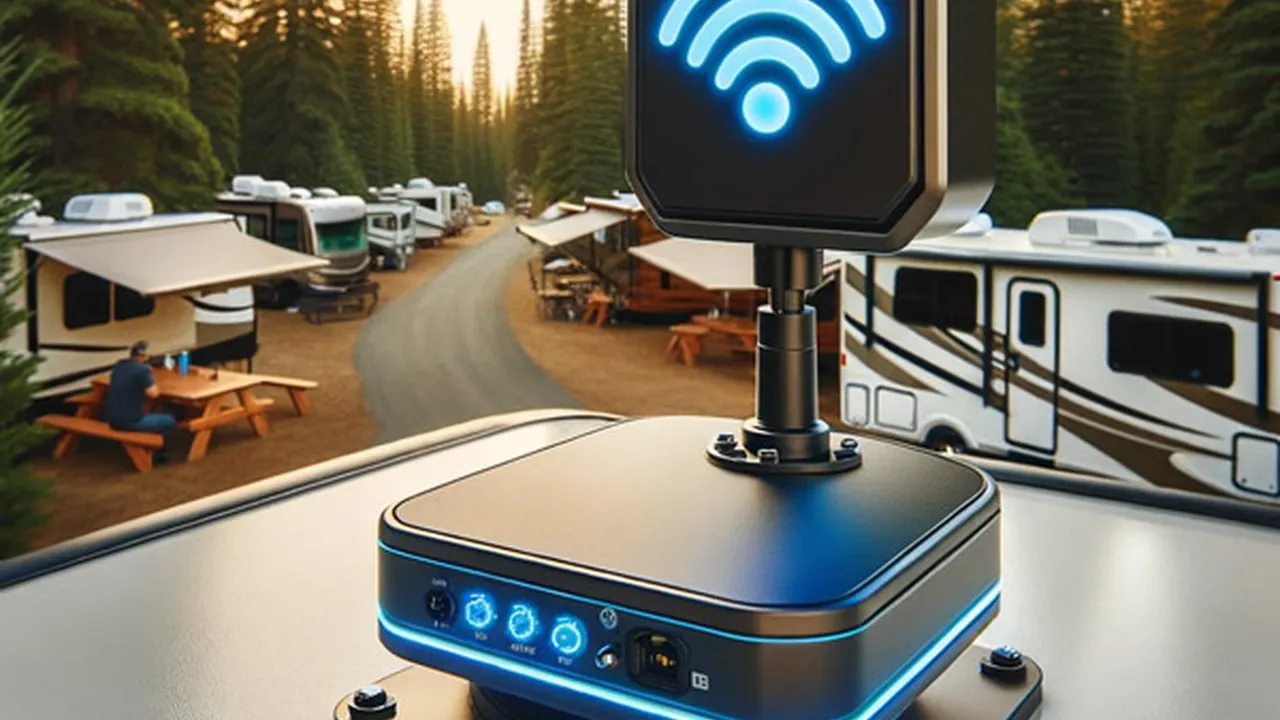
Understanding the Importance of RV Wi-Fi Boosters
Let's face it being on the road in your RV doesn't mean you want to be completely disconnected from the world. Whether it's for streaming your favorite shows working remotely or staying in touch with loved ones a reliable internet connection is often a necessity. That's where RV Wi-Fi boosters come in. They're designed to amplify weak Wi-Fi signals allowing you to connect to the internet even in remote locations where the signal is otherwise too weak to use.
Think of it this way: your RV is your home away from home. You wouldn't want to live in a house with no internet access right? An RV Wi-Fi booster acts like a super-powered antenna grabbing onto distant Wi-Fi signals and boosting them so you can enjoy a seamless online experience. This is especially crucial if you're relying on campground Wi-Fi which can often be overcrowded and unreliable.
Why You Need an RV Wi-Fi Booster Over Your Phone's Hotspot
You might be thinking "Why can't I just use my phone's hotspot?" While a phone hotspot is a convenient option it has its limitations. Phone hotspots typically have data caps and can quickly drain your phone's battery. More importantly they often don't have the same range or signal strength as a dedicated RV Wi-Fi booster. A dedicated booster is specifically designed for long-range signal acquisition and amplification providing a more stable and reliable connection.
Furthermore using your phone as a hotspot can be expensive especially if you exceed your data plan. RV Wi-Fi boosters on the other hand are a one-time investment that can save you money in the long run by allowing you to utilize free or low-cost Wi-Fi networks.
Key Features to Look for in RV Wi-Fi Boosters
When choosing an RV Wi-Fi booster there are several key features to consider:
- Range: This refers to the distance the booster can reach to pick up Wi-Fi signals. A longer range is generally better especially if you plan on camping in remote areas.
- Gain: Gain is measured in decibels (dB) and indicates how much the booster amplifies the signal. A higher gain means a stronger signal boost.
- Frequency Bands: Make sure the booster supports the frequency bands used by the Wi-Fi networks you'll be connecting to. Most boosters support 2.4 GHz and 5 GHz bands.
- Ease of Installation: Some boosters are easier to install than others. Consider your technical skills and choose a booster that you're comfortable setting up.
- Weather Resistance: Since the booster will be mounted on the outside of your RV it's important to choose one that's weather resistant and can withstand the elements.
- Compatibility: Ensure the booster is compatible with your existing Wi-Fi devices such as laptops tablets and smartphones.
Top RV Wi-Fi Booster Recommendations for 2024
Here are a few of our top RV Wi-Fi booster recommendations for 2024 based on performance features and value:
Winegard ConnecT 2.0 4G LTE WiFi Extender
Overview: The Winegard ConnecT 2.0 is a popular choice for RVers looking for a reliable and easy-to-use Wi-Fi booster. It combines Wi-Fi boosting capabilities with 4G LTE connectivity providing a backup internet option when Wi-Fi is unavailable.
Features:
- Long-range Wi-Fi boosting
- 4G LTE connectivity (requires a data plan)
- Easy to install and set up
- Secure Wi-Fi network
- Remote management via mobile app
Use Cases: Ideal for RVers who want a reliable internet connection for streaming working remotely or staying connected with family and friends. The 4G LTE backup is especially useful in areas with weak or no Wi-Fi coverage.
Pricing: Around $400 - $500
Detailed Information: The Winegard ConnecT 2.0 features a powerful antenna that can pick up Wi-Fi signals from up to several miles away. It creates a secure Wi-Fi network within your RV allowing multiple devices to connect simultaneously. The 4G LTE connectivity requires a separate data plan but it provides a valuable backup option when Wi-Fi is not available. The installation process is relatively straightforward and Winegard provides excellent customer support.
WeBoost Drive Reach RV Cell Phone Signal Booster
Overview: While technically a cell phone signal booster the WeBoost Drive Reach RV can also improve Wi-Fi connectivity by boosting the signal to your phone which can then be used as a hotspot. This is a great option for RVers who primarily rely on their phone for internet access.
Features:
- Boosts 4G LTE and 3G signals for all major carriers
- Increases cellular range and data speeds
- Improves voice quality
- Easy to install
- FCC approved
Use Cases: Best for RVers who need to improve their cell phone signal for making calls sending texts and using their phone as a hotspot. It's particularly useful in areas with weak cellular coverage.
Pricing: Around $500 - $600
Detailed Information: The WeBoost Drive Reach RV uses a powerful antenna to capture weak cellular signals and amplify them providing a stronger and more reliable connection. It works with all major carriers and can significantly improve data speeds. While it doesn't directly boost Wi-Fi signals it can improve Wi-Fi connectivity by boosting the signal to your phone which can then be used as a hotspot. The installation process is relatively simple and WeBoost provides excellent customer support.
Alfa WiFi Camp Pro 2 Long Range WiFi Repeater Extender
Overview: The Alfa WiFi Camp Pro 2 is a popular and affordable option for RVers who want to extend the range of existing Wi-Fi networks. It's a great choice for connecting to campground Wi-Fi or other public Wi-Fi hotspots.
Features:
- Long-range Wi-Fi repeater
- Easy to install and set up
- Compatible with most Wi-Fi routers
- Creates a secure Wi-Fi network
- Affordable price
Use Cases: Ideal for RVers who want to connect to campground Wi-Fi or other public Wi-Fi hotspots. It's a great way to improve the signal strength and range of existing Wi-Fi networks.
Pricing: Around $150 - $200
Detailed Information: The Alfa WiFi Camp Pro 2 is a simple and effective Wi-Fi repeater that can significantly extend the range of existing Wi-Fi networks. It's easy to install and set up and is compatible with most Wi-Fi routers. It creates a secure Wi-Fi network within your RV allowing multiple devices to connect simultaneously. While it doesn't boost cellular signals it's a great option for improving Wi-Fi connectivity in areas with existing Wi-Fi networks.
RV Wi-Fi Booster Product Comparison
Here's a quick comparison of the three RV Wi-Fi boosters mentioned above:
| Feature | Winegard ConnecT 2.0 | WeBoost Drive Reach RV | Alfa WiFi Camp Pro 2 |
|---|---|---|---|
| Wi-Fi Boosting | Yes | Indirectly (via phone hotspot) | Yes (repeater) |
| 4G LTE Connectivity | Yes (requires data plan) | No | No |
| Cell Signal Boosting | No | Yes | No |
| Price | $$$$ | $$$$ | $$ |
| Ease of Installation | Moderate | Moderate | Easy |
| Best For | Reliable internet with Wi-Fi and 4G LTE backup | Improving cell phone signal and hotspot performance | Extending the range of existing Wi-Fi networks |
Understanding Wi-Fi Frequencies 2.4 GHz vs 5 GHz
When choosing an RV Wi-Fi booster it's important to understand the difference between 2.4 GHz and 5 GHz Wi-Fi frequencies. The 2.4 GHz band is the more common frequency and offers a longer range but it's also more susceptible to interference from other devices. The 5 GHz band offers faster speeds and less interference but has a shorter range.
Most modern RV Wi-Fi boosters support both 2.4 GHz and 5 GHz bands allowing you to choose the best frequency based on your needs and the available network. If you're close to the Wi-Fi source and want faster speeds the 5 GHz band is a good choice. If you're farther away or experiencing interference the 2.4 GHz band may be more reliable.
DIY RV Wi-Fi Booster Setup and Installation Tips
Installing an RV Wi-Fi booster can seem daunting but it's actually a relatively straightforward process. Here are a few tips to help you get started:
- Read the instructions carefully: Before you start make sure you read the instructions that came with your booster. This will help you understand the installation process and avoid any potential problems.
- Choose the right location: The location of your booster antenna is crucial for optimal performance. Mount it as high as possible and away from any obstructions such as trees or buildings.
- Use the right cables: Use high-quality coaxial cables to connect the antenna to the booster. This will minimize signal loss and ensure the best possible performance.
- Secure the connections: Make sure all connections are tight and secure. This will prevent signal loss and ensure the booster works properly.
- Test the signal: After you've installed the booster test the signal strength to make sure it's working properly. You can use a Wi-Fi analyzer app on your smartphone or laptop to measure the signal strength.
Troubleshooting Common RV Wi-Fi Booster Issues
Even with the best RV Wi-Fi booster you may occasionally encounter problems. Here are a few common issues and how to troubleshoot them:
- Weak signal: If you're experiencing a weak signal make sure the antenna is properly positioned and that there are no obstructions blocking the signal. You may also need to adjust the antenna's direction to find the best signal.
- Intermittent connection: If you're experiencing an intermittent connection check the cables and connections to make sure they're tight and secure. You may also need to restart the booster or your Wi-Fi router.
- Slow speeds: If you're experiencing slow speeds try switching to the 5 GHz band if available. You may also need to upgrade your internet plan or contact your ISP for assistance.
- Booster not working: If the booster is not working at all check the power supply and make sure it's properly connected. You may also need to reset the booster to factory settings.
Optimizing Your RV Wi-Fi Network for Peak Performance
Once you have your RV Wi-Fi booster installed there are several things you can do to optimize your network for peak performance:
- Choose the right Wi-Fi channel: Wi-Fi channels can become congested especially in crowded campgrounds. Use a Wi-Fi analyzer app to find the least congested channel and switch your router to that channel.
- Use a strong password: Protect your Wi-Fi network with a strong password to prevent unauthorized access. This will also help prevent others from slowing down your network.
- Update your router's firmware: Keep your router's firmware up to date to ensure it has the latest security patches and performance improvements.
- Limit the number of connected devices: The more devices that are connected to your Wi-Fi network the slower the speeds will be. Limit the number of connected devices to improve performance.
- Use a VPN: A VPN (Virtual Private Network) can help protect your privacy and security when using public Wi-Fi networks. It can also improve your internet speeds by bypassing network congestion.
The Future of RV Connectivity What to Expect
The future of RV connectivity is looking bright with advancements in technology constantly improving internet access on the road. Here are a few things to expect in the coming years:
- 5G connectivity: 5G technology is already starting to roll out and promises significantly faster speeds and lower latency. This will make it easier to stream videos work remotely and stay connected with family and friends while on the road.
- Satellite internet: Satellite internet is becoming more affordable and reliable providing a viable option for RVers who travel to remote areas with no cellular or Wi-Fi coverage.
- Improved Wi-Fi boosters: RV Wi-Fi boosters are constantly being improved with better range stronger signals and more advanced features. Expect to see even more powerful and user-friendly boosters in the future.
- Smart RV technology: Smart RV technology is becoming increasingly popular allowing RVers to control various aspects of their RV from their smartphone. This includes controlling the Wi-Fi network monitoring security and managing energy usage.
RV Wi-Fi Booster Case Studies Real-World Examples
Let's take a look at a few real-world examples of how RV Wi-Fi boosters have helped RVers stay connected on the road:
Case Study 1: The Remote Worker: Sarah is a remote worker who travels full-time in her RV. She relies on a reliable internet connection to do her job. Before installing an RV Wi-Fi booster she struggled to find a stable connection in many campgrounds. After installing a Winegard ConnecT 2.0 she was able to connect to campground Wi-Fi and work without interruption. The 4G LTE backup also provided a valuable safety net in areas with no Wi-Fi coverage.
Case Study 2: The Streaming Enthusiast: John and Mary are avid streamers who love to watch movies and TV shows while on the road. They found that campground Wi-Fi was often too slow and unreliable for streaming. After installing an Alfa WiFi Camp Pro 2 they were able to connect to campground Wi-Fi and stream their favorite shows without buffering. The booster significantly improved the signal strength and range of the Wi-Fi network.
Case Study 3: The Family on Vacation: The Smith family was planning a cross-country RV trip and wanted to stay connected with family and friends. They installed a WeBoost Drive Reach RV to improve their cell phone signal. This allowed them to make calls send texts and use their phone as a hotspot even in areas with weak cellular coverage. The booster helped them stay connected and share their adventures with loved ones.
RV Wi-Fi Booster Maintenance and Longevity Tips
To ensure your RV Wi-Fi booster lasts for years to come it's important to perform regular maintenance. Here are a few tips to keep your booster in top condition:
- Clean the antenna: Regularly clean the antenna with a soft cloth to remove dirt and debris. This will help maintain the antenna's signal strength.
- Check the cables: Inspect the cables regularly for any signs of damage or wear. Replace any damaged cables to prevent signal loss.
- Protect from the elements: If possible protect the booster from extreme weather conditions such as direct sunlight rain and snow. This will help prolong its lifespan.
- Store properly: When not in use store the booster in a dry and safe place. This will prevent damage and ensure it's ready to use when you need it.
- Follow the manufacturer's instructions: Always follow the manufacturer's instructions for maintenance and care. This will help you avoid any potential problems and ensure your booster lasts for years to come.
RV Wi-Fi Booster Alternatives Exploring Other Options
While RV Wi-Fi boosters are a popular choice for improving internet connectivity on the road there are also other alternatives to consider:
- Mobile Hotspot: As mentioned earlier using your phone as a mobile hotspot is a convenient option but it has its limitations. Consider a dedicated mobile hotspot device for better performance and data management.
- Satellite Internet: Satellite internet provides a reliable internet connection in remote areas with no cellular or Wi-Fi coverage. However it can be expensive and may have latency issues.
- Cellular Data Plan: A generous cellular data plan can provide a reliable internet connection for your RV. Choose a plan with enough data to meet your needs and consider a data plan specifically designed for RVers.
- Public Wi-Fi: Utilizing public Wi-Fi hotspots at coffee shops libraries and other locations can be a cost-effective way to access the internet. However be aware of security risks and use a VPN to protect your privacy.
RV Wi-Fi Booster Myths Debunked Setting the Record Straight
There are many myths and misconceptions surrounding RV Wi-Fi boosters. Let's debunk a few of the most common ones:
- Myth: RV Wi-Fi boosters can create Wi-Fi signals where none exist. Fact: RV Wi-Fi boosters can only amplify existing Wi-Fi signals. They cannot create a Wi-Fi signal if there is no signal to begin with.
- Myth: All RV Wi-Fi boosters are the same. Fact: RV Wi-Fi boosters vary in terms of range gain features and price. Choose a booster that meets your specific needs and budget.
- Myth: Installing an RV Wi-Fi booster is difficult. Fact: Installing an RV Wi-Fi booster is relatively straightforward. Most boosters come with easy-to-follow instructions and there are many online resources available to help you.
- Myth: RV Wi-Fi boosters are illegal. Fact: RV Wi-Fi boosters are legal as long as they comply with FCC regulations. Choose a booster that is FCC approved.
- Myth: RV Wi-Fi boosters are a waste of money. Fact: RV Wi-Fi boosters can be a valuable investment for RVers who need a reliable internet connection on the road. They can significantly improve signal strength and range allowing you to stay connected even in remote areas.
RV Wi-Fi Booster Shopping Guide Making the Right Choice
Choosing the right RV Wi-Fi booster can be overwhelming with so many options available. Here's a shopping guide to help you make the right choice:
- Determine your needs: Consider how you plan to use the internet in your RV. Do you need a reliable connection for work streaming or staying in touch with family and friends?
- Assess your budget: RV Wi-Fi boosters range in price from a few hundred dollars to over a thousand dollars. Determine your budget and choose a booster that fits within your price range.
- Read reviews: Read online reviews from other RVers to get an idea of the performance and reliability of different boosters.
- Check the specifications: Pay attention to the specifications of the booster such as range gain frequency bands and compatibility.
- Consider the installation process: Choose a booster that you're comfortable installing. If you're not comfortable with DIY projects consider hiring a professional installer.
- Look for a warranty: Choose a booster that comes with a warranty to protect your investment.
- Buy from a reputable seller: Buy your RV Wi-Fi booster from a reputable seller to ensure you're getting a genuine product and good customer support.
Legal and Ethical Considerations When Using RV Wi-Fi Boosters
While RV Wi-Fi boosters are generally legal it's important to be aware of the legal and ethical considerations when using them:
- FCC Regulations: Ensure your RV Wi-Fi booster complies with FCC regulations. This includes ensuring the booster is properly licensed and that it does not interfere with other wireless devices.
- Terms of Service: Review the terms of service of the Wi-Fi network you're connecting to. Some networks may prohibit the use of Wi-Fi boosters.
- Respecting Others: Avoid using your Wi-Fi booster in a way that interferes with other users on the network. This includes avoiding excessive bandwidth usage and respecting their privacy.
- Security: Protect your Wi-Fi network with a strong password to prevent unauthorized access. This will also help prevent others from using your booster to amplify their own signal without permission.
Maintaining a Secure RV Wi-Fi Network Protecting Your Data
Protecting your data and privacy is crucial when using Wi-Fi in your RV. Here are some tips for maintaining a secure RV Wi-Fi network:
- Use a Strong Password: As mentioned earlier use a strong password to protect your Wi-Fi network from unauthorized access.
- Enable WPA3 Encryption: WPA3 is the latest Wi-Fi security protocol and offers stronger encryption than WPA2. Enable WPA3 encryption on your router if possible.
- Use a VPN: A VPN (Virtual Private Network) encrypts your internet traffic and protects your privacy when using public Wi-Fi networks.
- Enable Firewall: Enable the firewall on your router to protect your network from unauthorized access.
- Keep Your Software Up to Date: Keep your router firmware and your devices' operating systems up to date to ensure they have the latest security patches.
- Be Careful What You Click: Be careful about clicking on links or downloading files from untrusted sources. This can help prevent malware and phishing attacks.
- Monitor Your Network: Regularly monitor your network for any suspicious activity. This can help you identify and address any security threats.
:max_bytes(150000):strip_icc()/277019-baked-pork-chops-with-cream-of-mushroom-soup-DDMFS-beauty-4x3-BG-7505-5762b731cf30447d9cbbbbbf387beafa.jpg)